How to Create a New Activity Type
Note: You must be an account administrator to create new activity types.
There are several default activity types available when creating referral source tiers. If you'd like to create custom activity types, you can do that as well. Here's how:
1) Navigate to Activities & Tasks
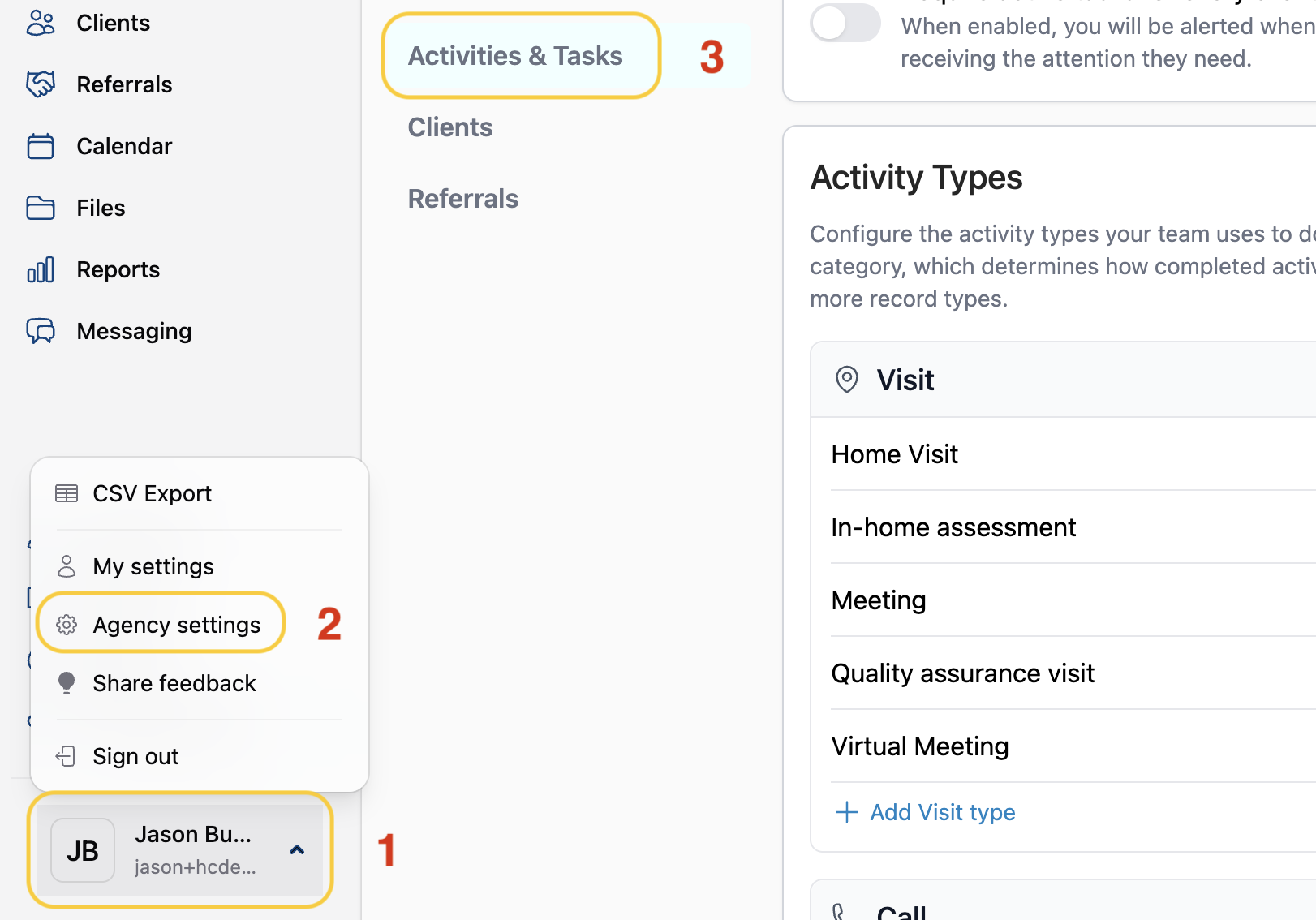
- Navigate to the profile menu
- Click Agency settings
- Choose Activities & Tasks
2) Customize Your Activity Types
Create a New Activity Type
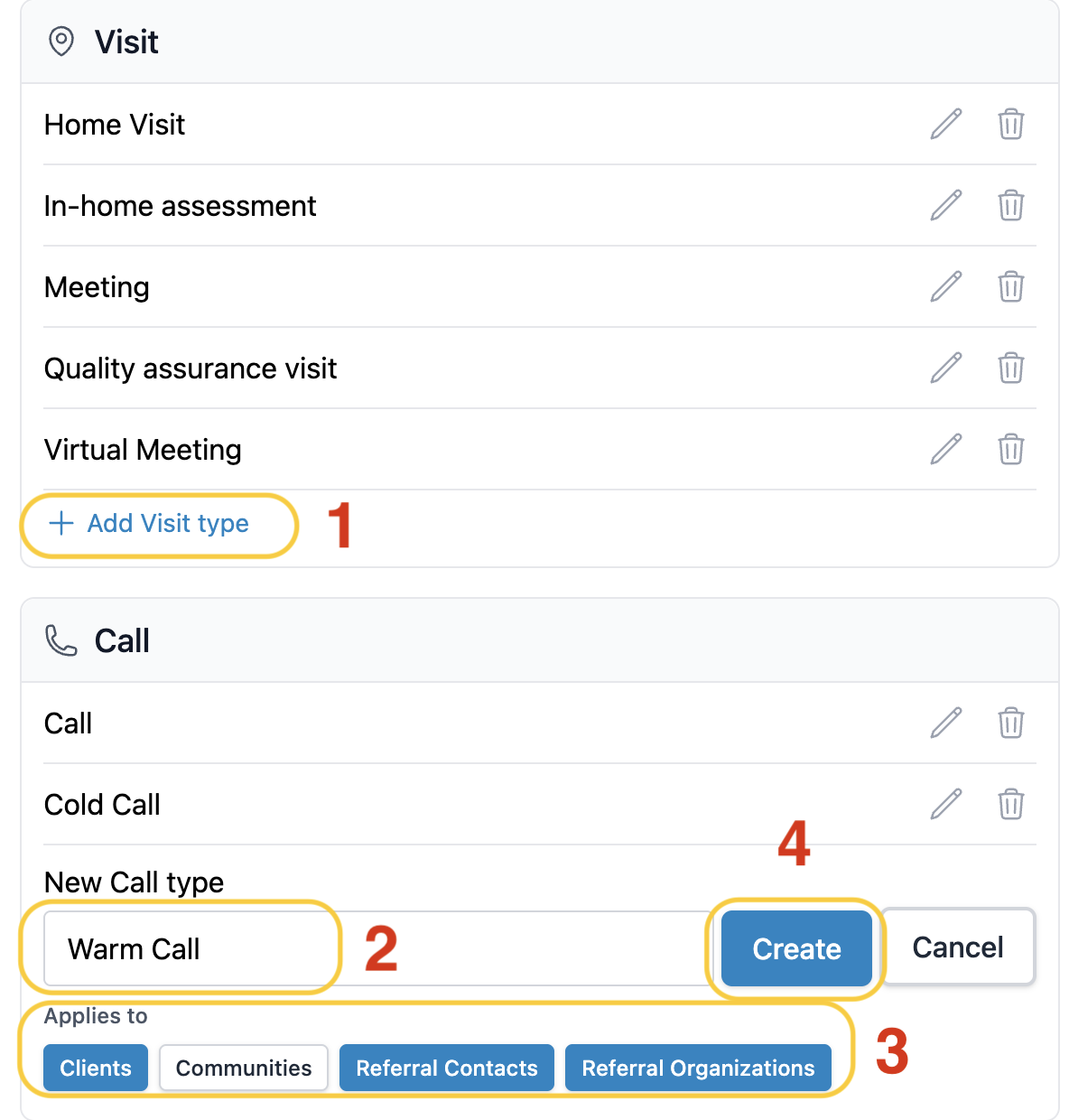
- Under the corresponding activity type section, select + Add (activity type) type
- Enter the activity name
- Select the profile type you'd like this activity to apply to
- Click Create
Archive an Activity Type
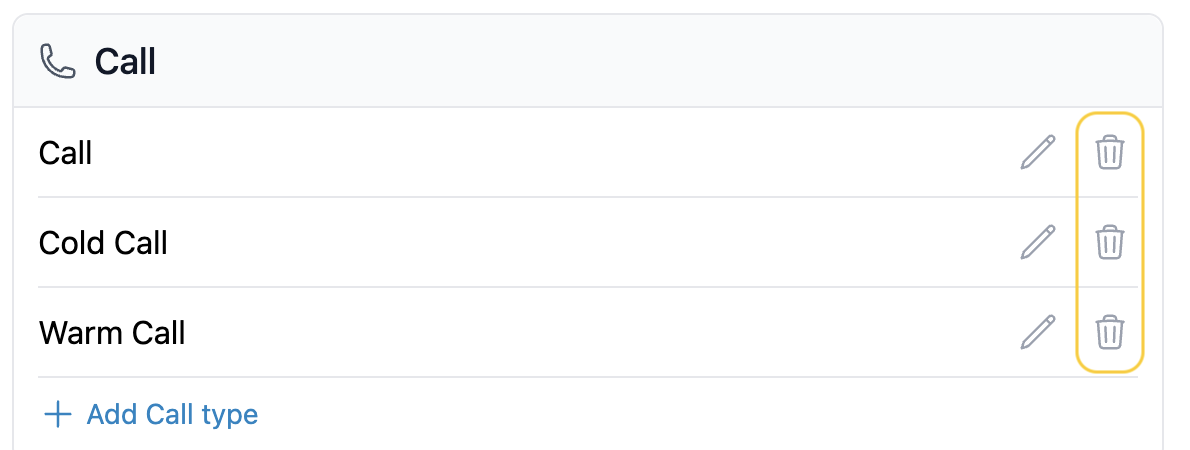
- To archive an activity type, click the trashcan icon.
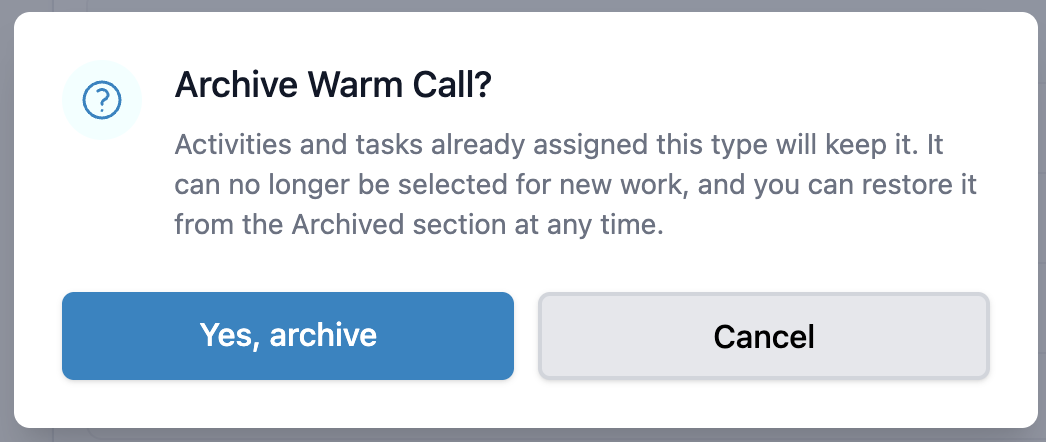
- Select Yes, Archive
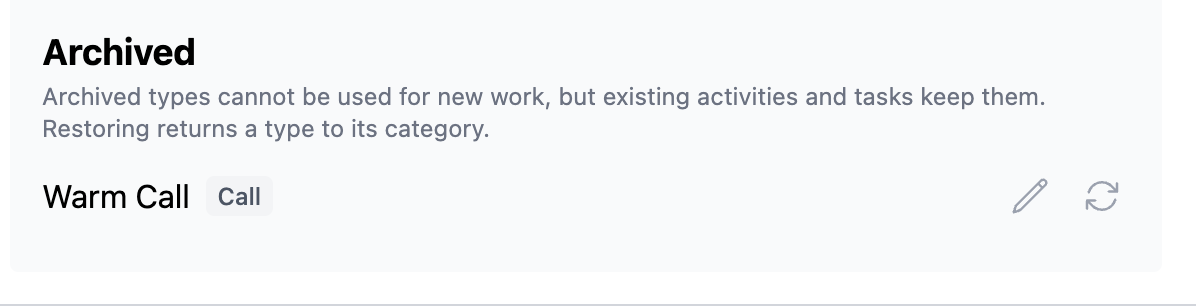
- You can view, edit, and restore archived activity types at the bottom of the Activities & Tasks page.
Edit an Existing Activity Type
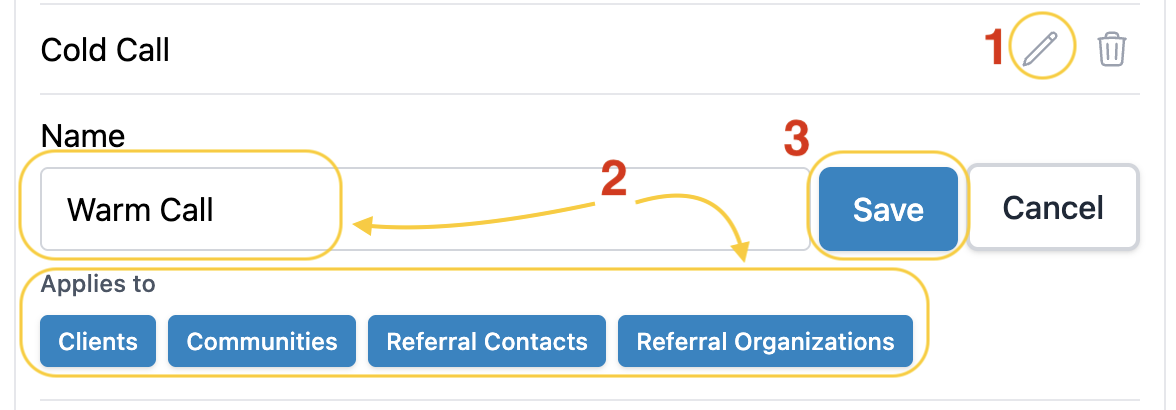
- Click the Pencil icon
- Make your edits
- Click Save
Have more questions? Feel free to reach out to us at support@seniorplace.com!